Another day, another five agents running in the background. Claude Code refactoring a module in one pane. Codex wiring up a test harness in another. OpenCode in a third. And somewhere in tmux window 4, an agent that finished five minutes ago and has been waiting for me to notice.
That last one is the whole reason this post exists.
The quiet problem with CLI agents
CLI agents are everywhere now. Claude Code, Codex, OpenCode, Aider, Cursor in terminal mode, custom Python scripts wrapping an API. Developers who would have never touched the terminal a year ago are living inside it. Most of us also run more than one agent at a time because the tasks they do well are parallelizable: generate a migration here, draft a README there, chase a flaky test somewhere else.
The problem becomes obvious the moment you try it for a week: you lose track.
Which agent is still thinking? Which one needs permission to run a shell command? Which one finished ten minutes ago and is burning my attention budget with a blinking cursor nobody sees? There is no global status bar for agents. You find out by switching to each pane.
I tried keeping a mental map of “session 3 is the migration one, session 5 is the docs one.” That lasted about a day. By the time I had five sessions with three panes each, I was hopping between them every 30 seconds like a bad game of whack-a-mole.
The terminal renaissance
A quiet thing has happened in the last couple of years: the terminal got cool again. tmux in particular keeps showing up in setups and screenshots where five years ago you would have seen an IDE. Part of it is aesthetic. A bigger part is that AI agents land in the terminal first. Claude Code is a CLI. Codex is a CLI. Most agent UX right now is text streaming into a pty.
tmux fits this perfectly. One window per project, panes for the agent and its logs and a free shell, sessions for context-switching between clients. The terminal is no longer the place you go for just ls and vim.
But tmux has no native concept of “this pane is an agent that needs you.”
What I wanted
A signal that tells me, without switching panes:
- which pane has an agent currently running
- which pane needs input (permission prompt, clarification, blocking question)
- which pane finished and is waiting
And it had to be passive. No popups that steal focus. No sounds firing during a meeting. Just a change in something I already look at: the status bar, the pane border, the window title.
Existing tmux plugins handle clocks, CPU, git branches, weather. None handled agents.
So I built one.
tmux-agent-indicator
accessd/tmux-agent-indicator is a tmux plugin that tracks three states per pane: running, needs-input, done. Each state drives up to four visual channels:
- pane border color
- pane background (off by default, it can be loud)
- window title background and foreground
- status bar icon, per agent (
claude=🤖,codex=🧠,opencode=💻)
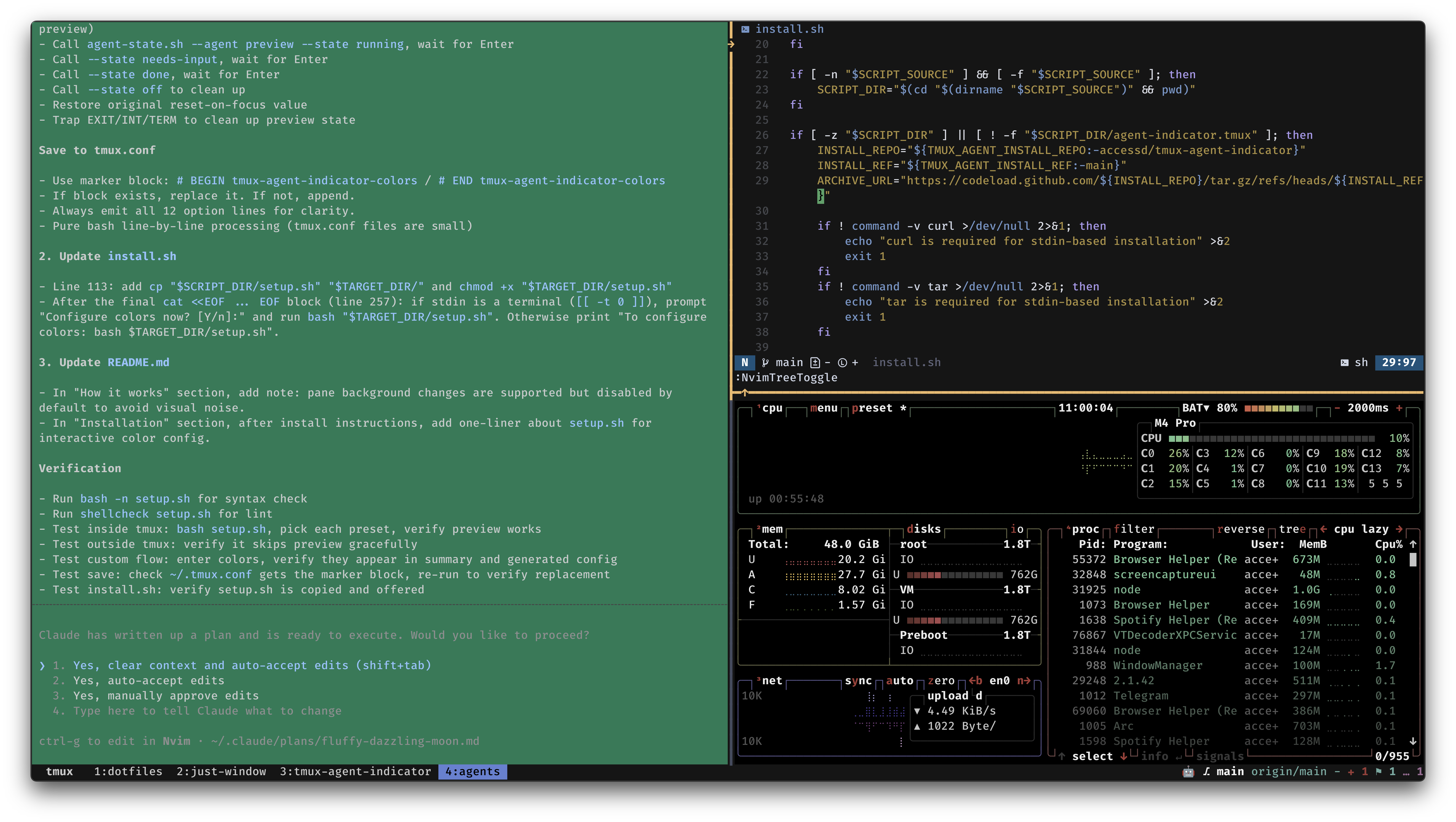
Here is the short version of the thing working. The pane finishes, the window title flips, the pane border updates. When I focus the pane, the state resets on its own.
Three example frames:
 |
 |
 |
|---|---|---|
| needs-input: yellow window title | done: red window title | done: pane background change |
How the state actually gets there
The plugin does not poll. State transitions are driven by hooks:
- Claude Code fires
UserPromptSubmit,PermissionRequest, andStophooks. The installer wires these in~/.claude/settings.json. - Codex has a
notifycommand in~/.codex/config.toml. The plugin hooks into that. - OpenCode has a JS plugin system. The installer drops a file into
~/.config/opencode/plugins/. - Any other agent can call
scripts/agent-state.sh --agent <name> --state <state>directly from a wrapper or hook.
For agents that fire no hooks at all, there is a process-detection fallback: the plugin watches configured process names (claude, codex, aider, cursor, opencode) and marks panes as running when they are detected.
Deferred reset
One small detail I am attached to: when a pane hits done, the visual state does not clear when the hook fires. It clears when you actually look at the pane (focus it). Otherwise done is a ghost that flashes and disappears before you notice, which defeats the whole point.
Session dots
If you keep more than three or four tmux sessions, there is an optional session indicator in the status bar. Every session shows as a dot. The current one is filled. Sessions where an agent needs your attention get a different color. Four sessions with the second active and the fourth needing attention looks like ○●○●.
Notifications and custom commands
Every state transition fires tmux display-message by default, with a configurable format. You can disable it, change the list of states it notifies on, or plug in a custom command that receives AGENT_NAME, AGENT_STATE, AGENT_SESSION, AGENT_WINDOW as environment variables. Want a macOS notification on needs-input? One line:
set -g @agent-indicator-notification-command 'osascript -e "display notification \"$AGENT_NAME is $AGENT_STATE\" with title \"tmux agent\""'
Install
curl -fsSL https://raw.githubusercontent.com/accessd/tmux-agent-indicator/main/install.sh | bash
The installer offers an interactive color setup wizard (rerunnable later). It also wires up Claude, Codex, and OpenCode if they are installed. If you prefer TPM:
set -g @plugin 'accessd/tmux-agent-indicator'
Then add #{agent_indicator} (and optionally #{agent_session_dots}) to your status-right.
Beyond tmux: agent-indicator
tmux-agent-indicator is specifically a tmux plugin. Useful for people who live in tmux, useless if you do not.
I wanted the same state signal in other surfaces: plain terminal tabs, desktop notifications, sounds, push to my phone. That became a separate project: accessd/agent-indicator.
Same model of hooks, same three states, four backends:
- Terminal. Sets the tab title via OSC 2, tints the background via OSC 11, fires a bell on
needs-input, and on iTerm2 requests dock attention viaOSC 1337;RequestAttention. Works inside or outside tmux (sequences get wrapped in tmux passthrough when needed). Tested against iTerm2, WezTerm, Kitty, Ghostty, Alacritty, Windows Terminal, and GNOME/VTE. - Sound. Plays audio alerts on
needs-inputanddone. Uses CESP sound packs with no-repeat logic so you do not hear the same ding twice in a row. Falls back acrossafplay,paplay,aplay,play. - Desktop. OS-level popups, separate from the terminal. macOS uses
terminal-notifierorosascript. Linux/WSL usesnotify-send. - Push. HTTP notifications to your phone via ntfy, Pushover, or Telegram. This is the one that lets me walk away from the laptop and still know when an agent is waiting on me.
All four are independent and togglable. Default after install is terminal on, everything else off. The setup wizard is interactive and walks through each backend.
Install:
bash <(curl -fsSL https://raw.githubusercontent.com/accessd/agent-indicator/main/install.sh)
Config lives in ~/.config/agent-indicator/config.json. Every backend has a dotpath, and a config.py that reads and writes values.
Why two projects instead of one
Because the tmux-specific tricks (pane borders, window title styles, Knight Rider animation, session dots, reset-on-focus semantics) have nothing to do with sound or push, and a tmux plugin is the wrong dependency to force on people who do not use tmux. Live in tmux? Use the plugin. Want sound and push and do not care about tmux styling? Use agent-indicator. Want both? Run them side by side. They share the same hook contract.
Closing
The terminal renaissance is not about nostalgia. It is about the fastest, most composable interface for a new generation of AI tools being the one we already had. tmux gives you structure, hooks give you extensibility, the agents themselves give you leverage.
What was missing was simple: a way to know what your agents are doing without looking at each of them. These two projects close that gap for me. If they close it for you too, stars are nice and PRs are nicer.
Since you scrolled this far, you might as well take a look at some other things I wrote !
- A Flipper Zero That Buzzes When My AI Agents Need Me
- Что там делают мои AI-агенты: tmux-agent-indicator
- Weekend Hack: Combining ChatGPT, Claude & More to Build TaleShade
- Non-Standard Temperature Monitoring in an Apartment
- Нестандартный мониторинг температуры в квартире
- MacOS: tiling window manager
- Деплоим с докером без простоя
- Vim: Путь ниндзя
- How to resize a VirtualBox Virtual Machine hard disk with LVM
- Slack deploy bot
- Все мои компы
- 10 лет рабства
... or some other article from my blog.